Flight Time Calculator – User Guide
Flight Time Calculator is an iPhone app for adding and subtracting flight times – for example to work out block time from take-off and landing times, or to total up logbook pages. Results can be added to running totals per aircraft class (LSA/UL, E, TMG, GLD), which are stored permanently.
Calculating
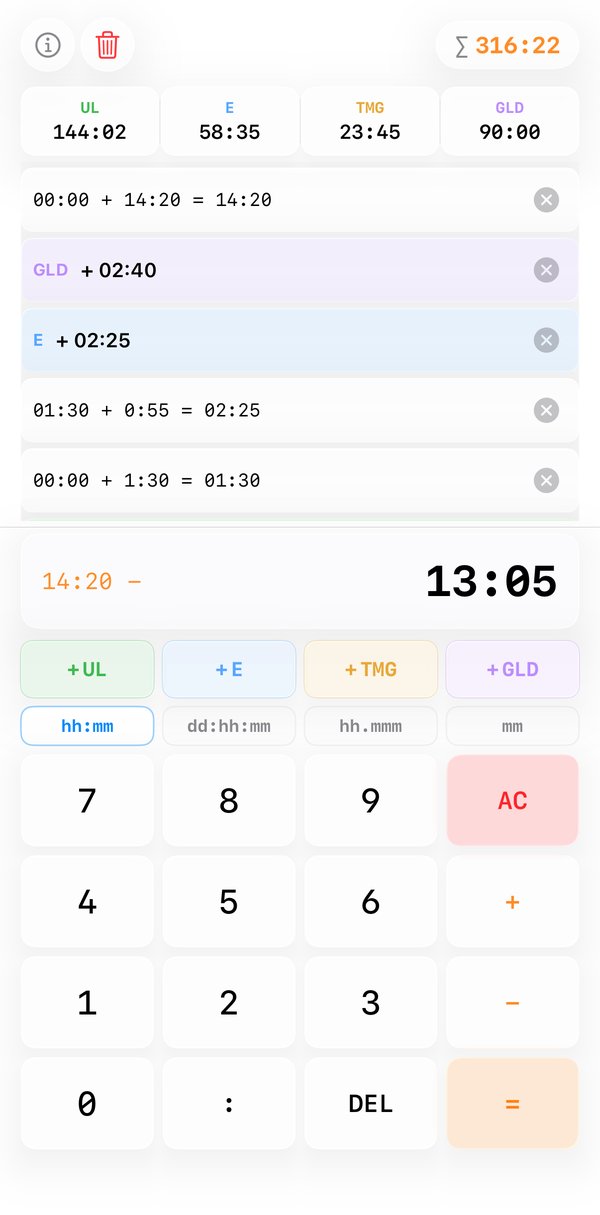
It works like a simple pocket calculator: enter a time, press + or −, enter the next time and finish with =. The running result and the selected operator are shown on the left of the display (orange), the current input on the right. Chains such as “11:42 − 10:15 + 0:20” work without pressing = in between.
AC resets the current calculation, DEL deletes the last digit entered.
Entering times
Digits are shifted in from the right: the last two digits are the minutes, everything before
them the hours. Typing 1 1 4 2 gives
11:42, 1 3 0 gives 1:30.
There's no need to type a colon.
Alternatively, enter the hours, press the separator key (:, or
, in decimal format) and then the minutes – handy for single-digit minute
values, e.g. 2 : 4 0 for
2:40.
Totals per class
The coloured keys +UL, +E, +TMG and +GLD add the current input – or, if nothing has been entered, the result of the last calculation – to that class's total:
| Key | Class |
|---|---|
| UL | Ultralights / light sport aircraft (shown as LSA in the English app) |
| E | Single-engine aeroplanes (Echo class) |
| TMG | Touring motor gliders |
| GLD | Gliders |
The totals are shown in the bar at the top, the sum of all classes at the top right next to ∑. They are kept after the app is closed.
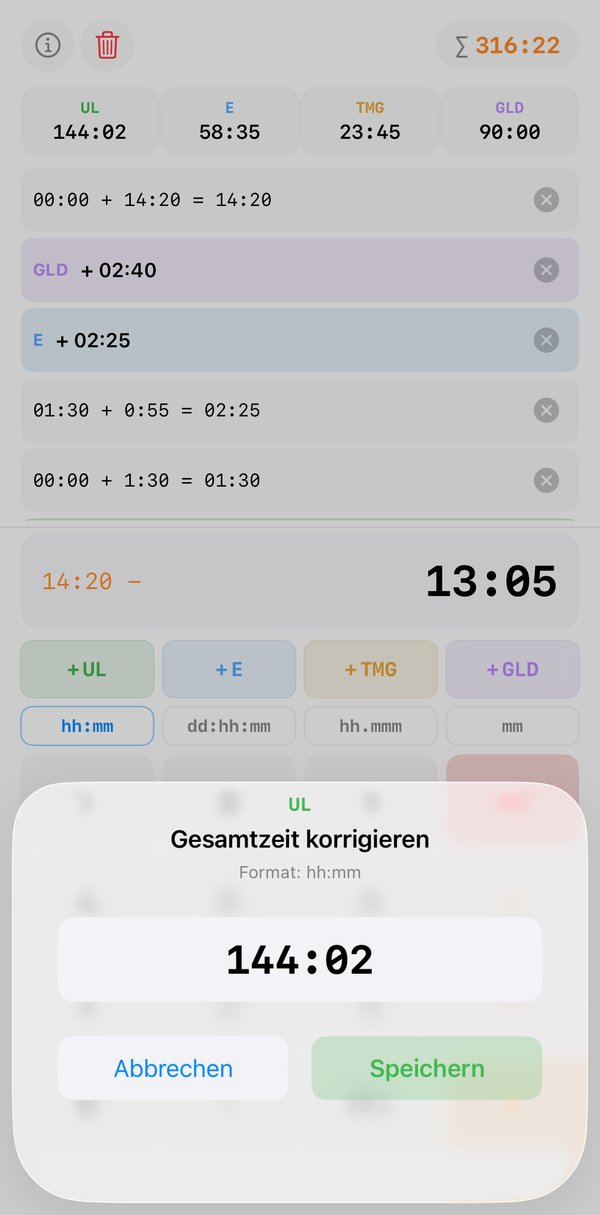
Tapping a total copies it into the input, e.g. to keep calculating with it. A long press opens a dialog where the value can be overwritten directly – for example to match the figure in your logbook.
Display formats
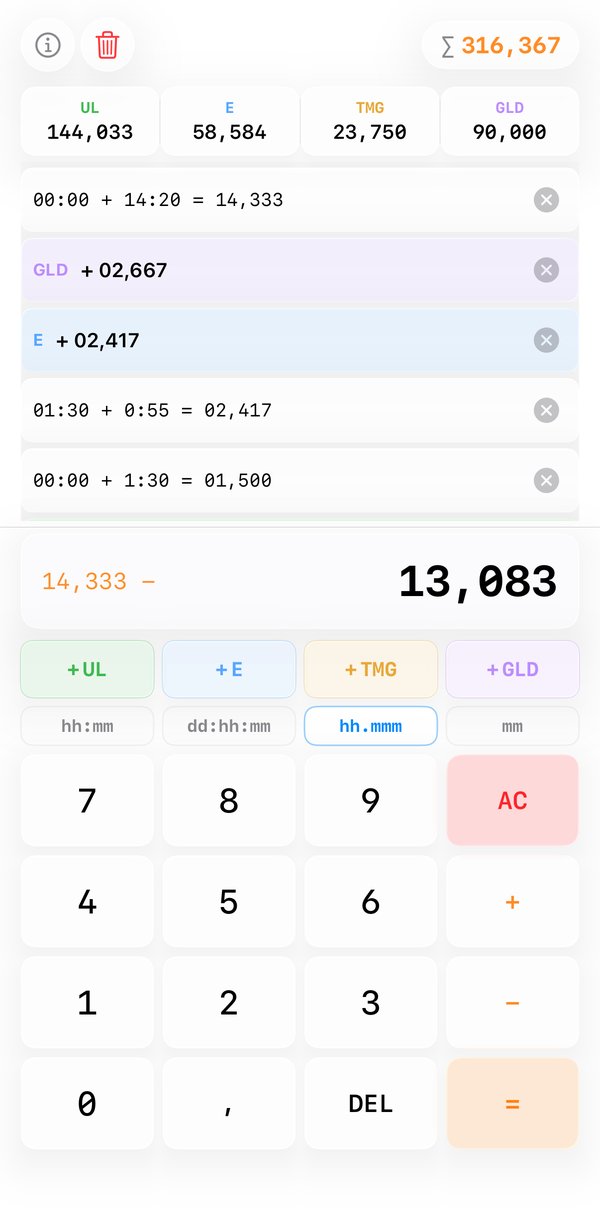
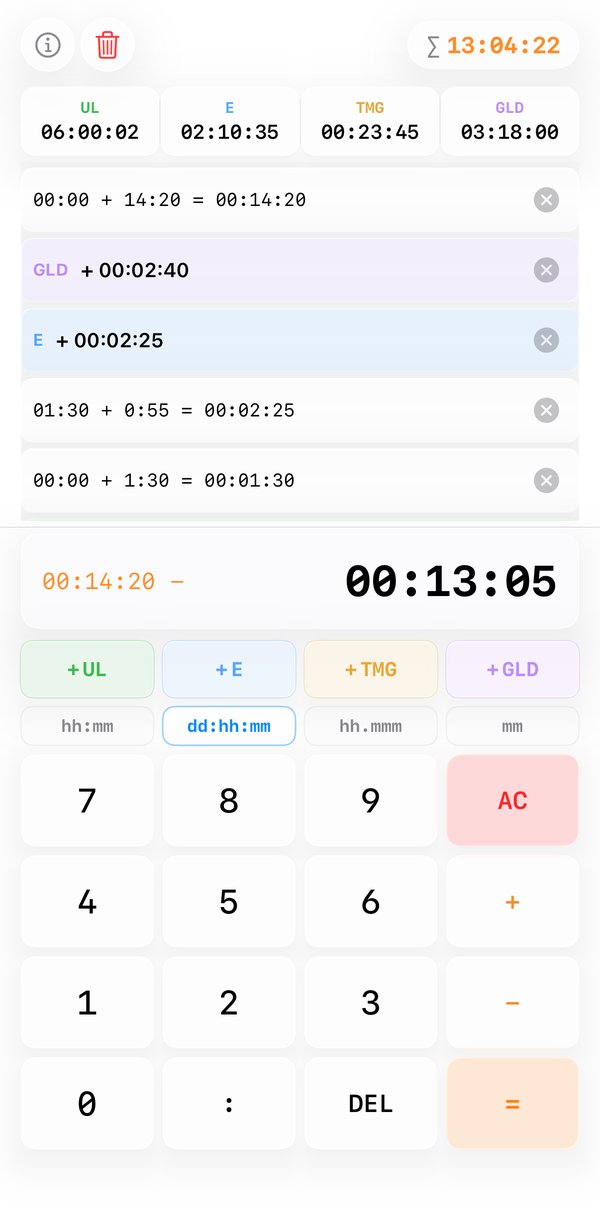
The format bar above the number keys switches between four representations. Input, results and totals are converted immediately:
| Format | Meaning | Example |
|---|---|---|
| hh:mm | Hours and minutes | 144:02 |
| dd:hh:mm | Days, hours and minutes | 06:00:02 |
| hh.mmm | Decimal hours with three decimal places | 144,033 |
| mm | Minutes only | 8642 |
Internally the app calculates in thousandths of an hour; conversions between minute and decimal formats are rounded to the nearest minute or thousandth of an hour.
Log
Every calculation and every entry added to a class appears in the log below the totals, newest first. Class entries are highlighted in the class colour.
- Tapping a calculation copies its result into the input; tapping a class entry copies that class's current total.
- The × on the right deletes an entry. For a class entry, the time is also subtracted from the class total again – this is how you undo a wrong entry.
- The bin at the top left clears the whole log. The totals are kept.
FAQ
Is my data sent anywhere?
No. The totals are stored only locally on your device. The app needs no internet connection,
collects no personal data and contains no ads or tracking.
How do I reset a total to zero?
Long-press the total, enter 0 and save.
Does the app replace my logbook?
No. Flight Time Calculator is a calculation aid; your official logbook remains authoritative.
Privacy policy · Support: ds@goaround.org · ← Back to home